504 and IEP accommodations in Canvas
504 and IEP accommodations tracker for Canvas.
Canvas Teacher Toolkit helps teachers track 504 plan and IEP accommodations right inside Canvas. Accommodated students are flagged in the gradebook and SpeedGrader, extended time (1.5x or 2x) is applied to due dates automatically, and every record stays private on the teacher's own computer.
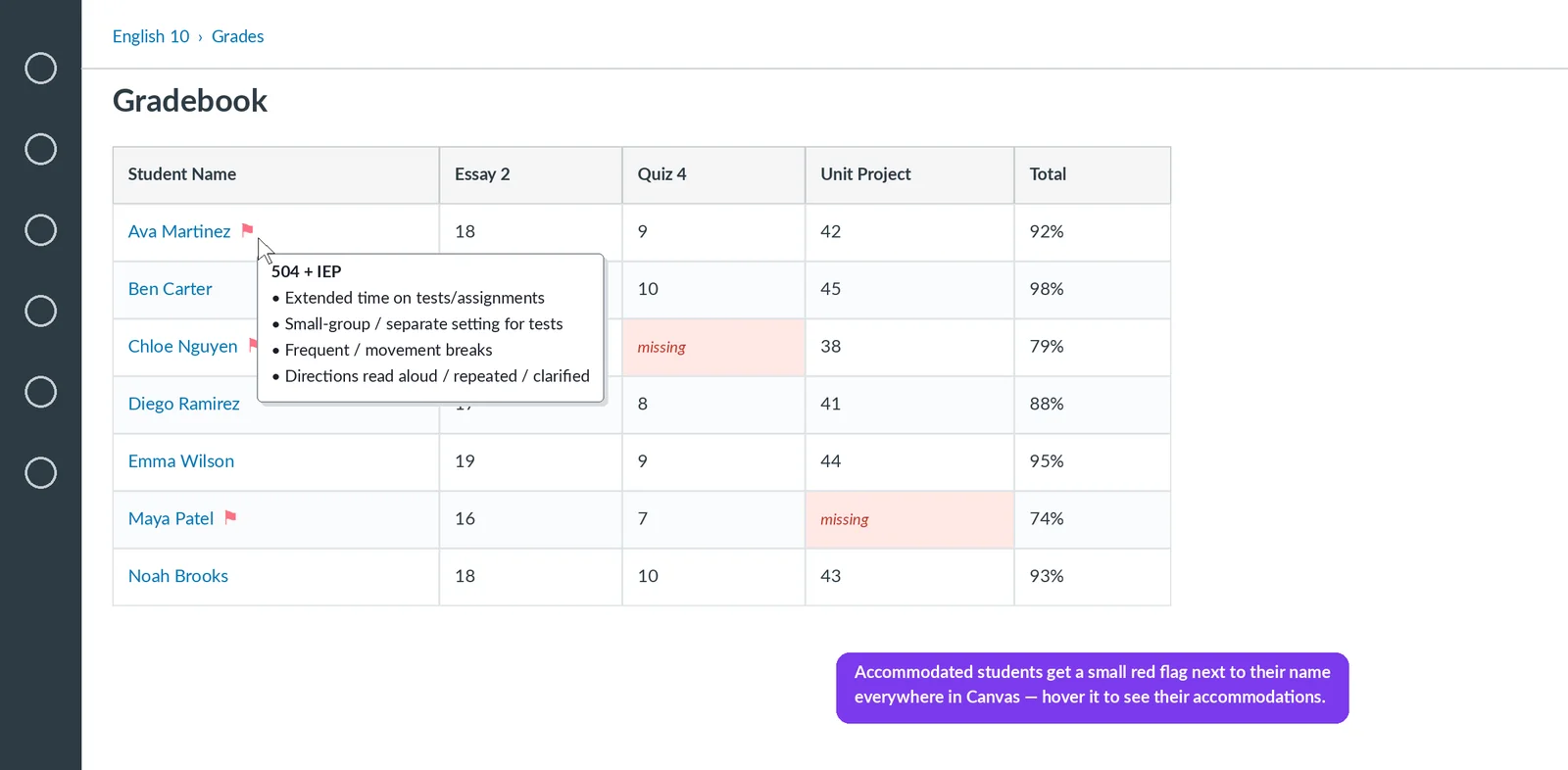
See every student's accommodations without leaving Canvas.
Stop digging through spreadsheets, binders and your student information system to remember who gets extended time or small-group testing. Students with a 504 plan or IEP get a small red flag next to their name in the Canvas gradebook, People list and SpeedGrader. Hover the flag to see their accommodations.
How to track 504 and IEP accommodations in Canvas.
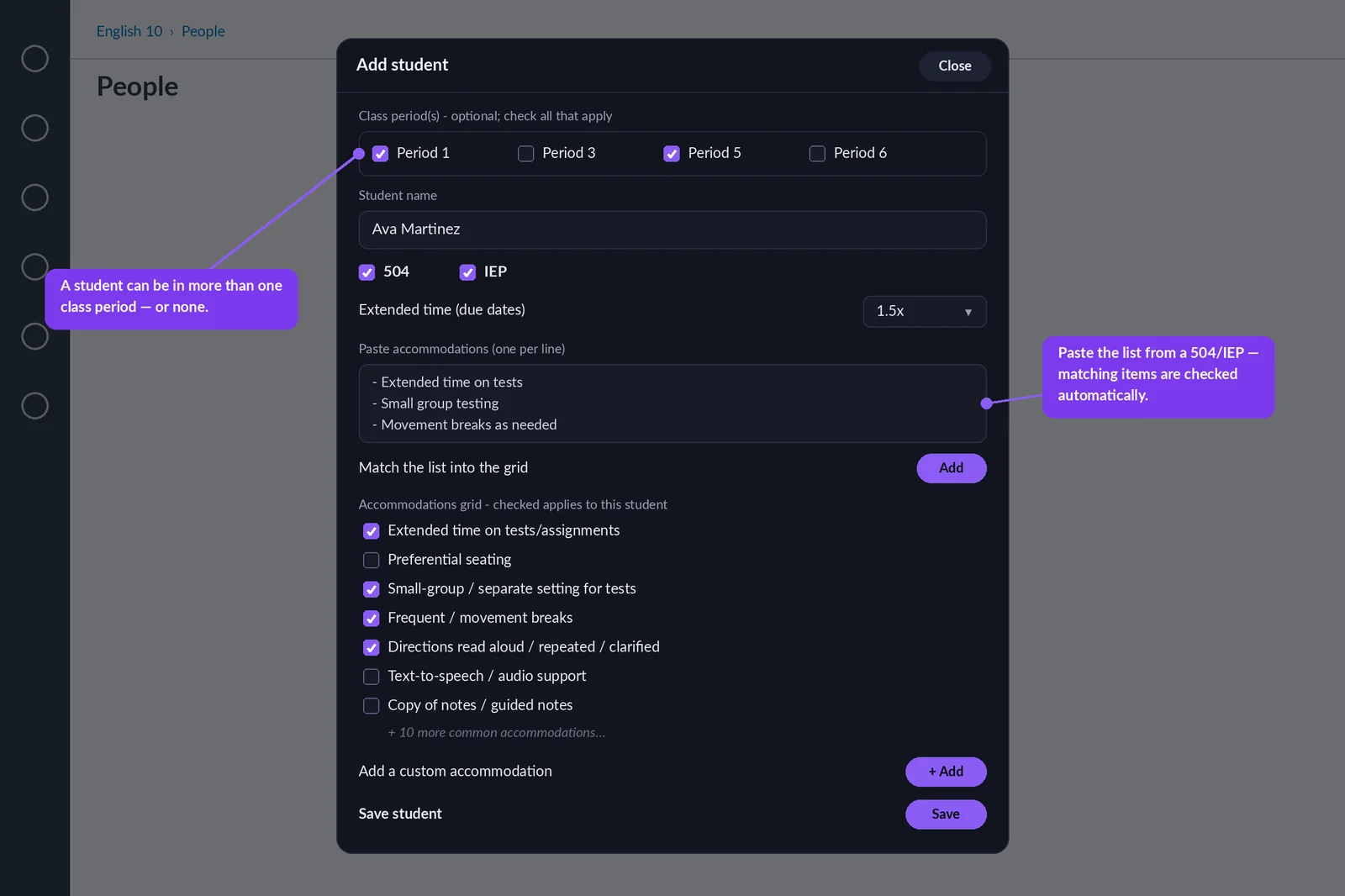
Add a student once
Mark 504, IEP or both, set extended time, and check off accommodations such as extended time on tests, small-group testing, movement breaks, directions read aloud, text-to-speech, guided notes and chunked assignments. Paste a list straight from a 504 plan or IEP and matching items are checked automatically.
Tag class periods
Tag each student to one or more class periods, so you can browse accommodations period by period.
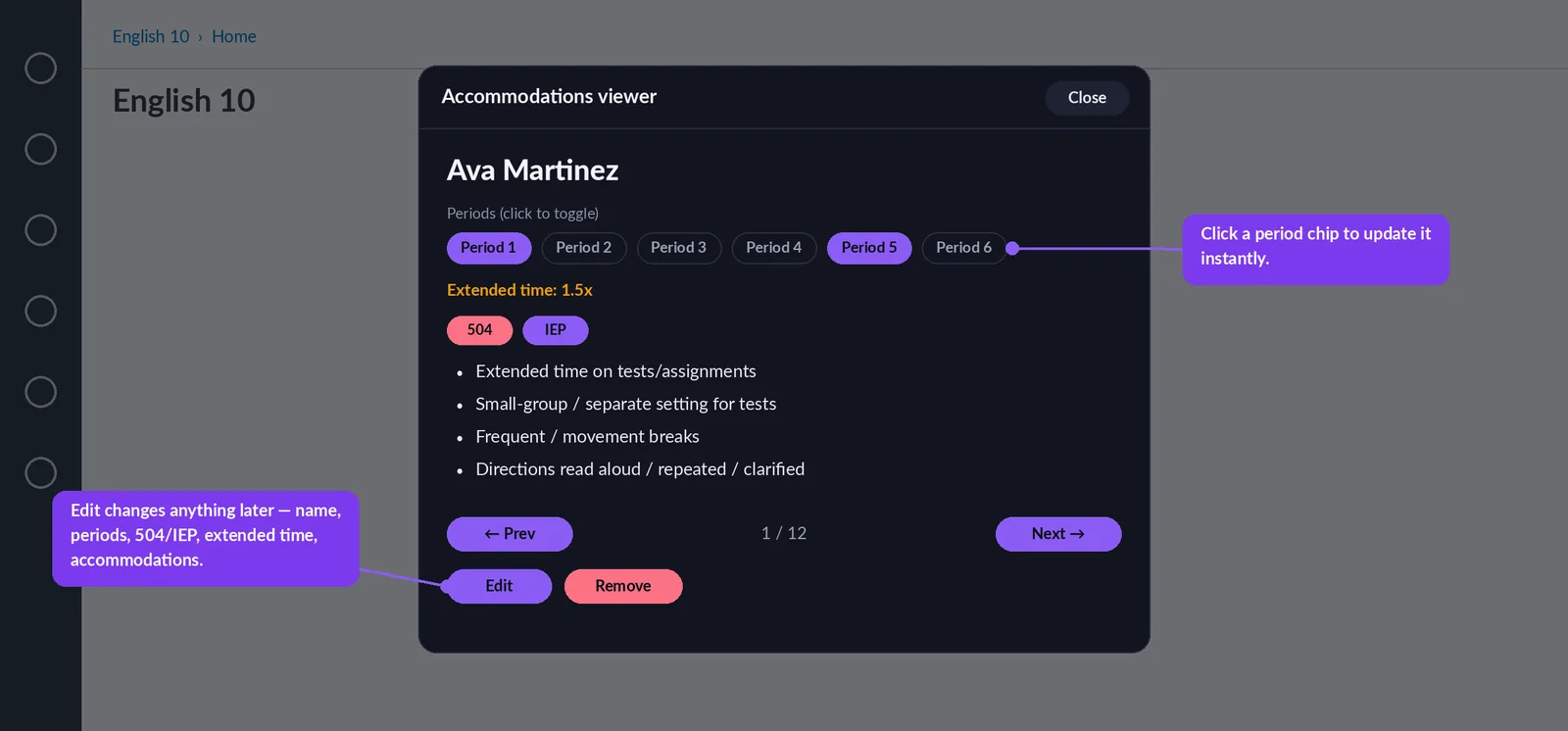
Update anytime
Open View accommodations to change a student's periods with one click, or edit their full record when a plan changes.
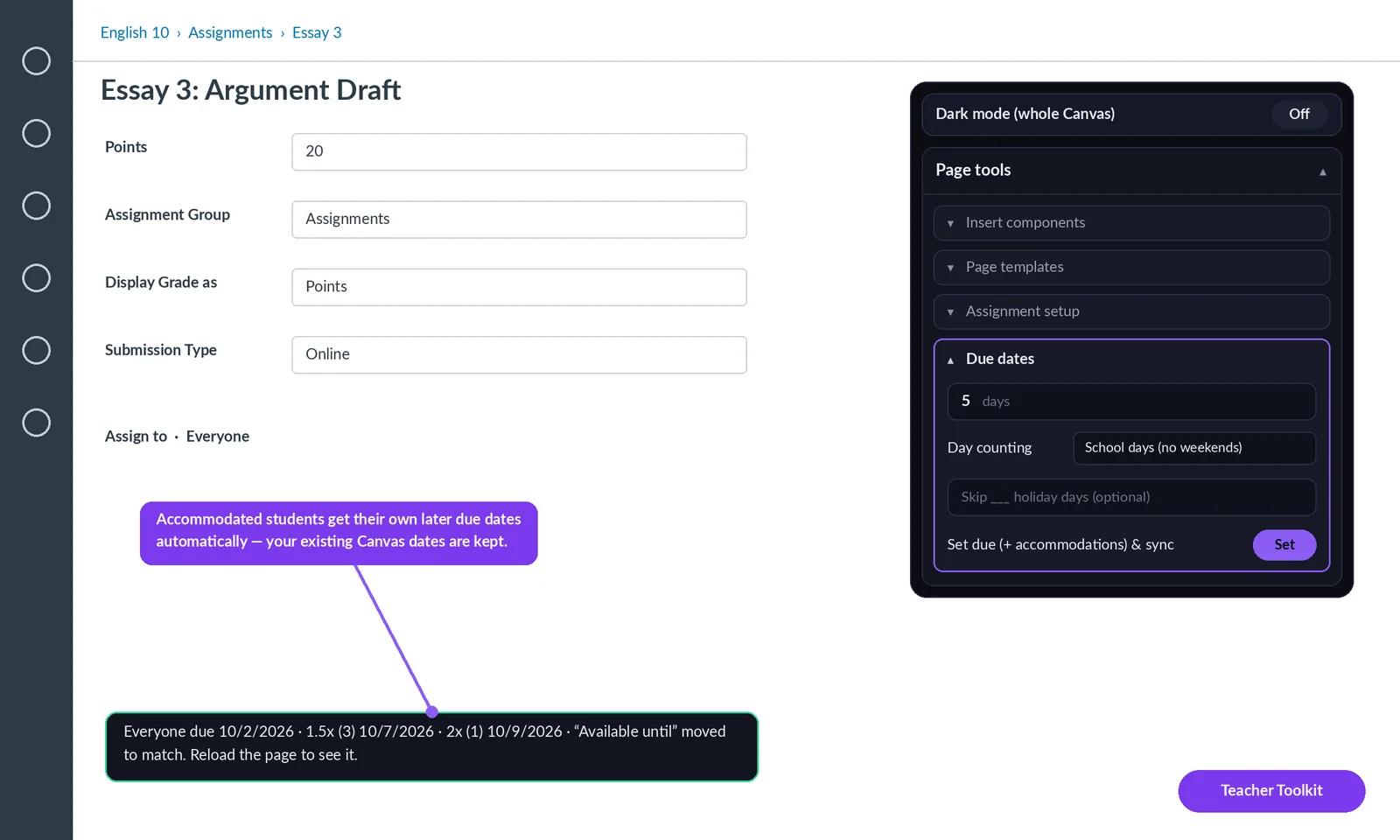
Automatic extended time on Canvas due dates.
When you set a due date with the toolkit, students with 1.5x or 2x extended time automatically get their own later due dates as Canvas assignment overrides. The "Available until" date moves with them so they are never locked out early, and any section dates or one-off extensions you already set in Canvas are kept.
One simple record per student.
- Mark 504, IEP, or both
- Set extended time: 1.5× or 2×
- Check off common accommodations, including additional attempts, reduced questions and modified mastery, or add your own
- Tag students to one or more class periods, and edit any record later
- Records follow each student into every course and quarter
Bulk import a whole caseload.
Paste one long list from a document, email or spreadsheet, or upload a .csv file. The toolkit reads each student's name, 504/IEP status and accommodations, checks the names against your Canvas roster, and shows a preview before anything is saved.
- Works with lists, one-line notes or spreadsheet columns
- Suggests the right spelling when a name does not match Canvas
- Share just the 504/IEP list with colleagues; importing adds students without erasing anything
Supportive check-in messages
Draft a Canvas message offering a student their accommodations, listing their open and missing work with their own due dates. You review every message before it sends.
Weekly outreach reminder
An optional weekly nudge to check in with the students who have accommodations, so no one slips through the cracks.
Private by design
Accommodation records stay in the teacher's own browser. Nothing is uploaded, sold or shared, and no student data ever leaves the device.
Backup and share
Export just the 504/IEP list to back it up, move it to another computer or share it with colleagues.
Works with your Canvas
A browser extension for Chrome, Edge and Firefox that works on any Canvas (instructure.com) site, plus custom school Canvas addresses.
Good to know: the toolkit does not connect to PowerSchool or other student information systems. That is what keeps student data on your device. You enter or paste each student once. Flags and extended time match students by name, so enter names the way they appear in Canvas. The accommodations tools are part of the $5/month upgrade, with a 14-day free trial. School and district licensing is available.